Introduction to HRHIS APIs
The HRHIS API is organized around. Our API has predictable resource-oriented URLs, accepts form-encoded request bodies, returns JSON-encoded responses, and uses standard HTTP response codes, authentication, and verbs.
Setting Up HRHIS#
HRHIS uses docker from development to deployment.
When setting up HRHIS for both development and production, we will setup mainly 3 services used by HRHIS.
- PostgreSQL as our data persistance layer.
- Nginx as the reverse proxy and webserver.
- Redis as an in memory session storage database.
- NodeJs as our underlying API application runtime environment.
HRHIS uses environmental variables to manage some runtime resources that can not be directly built in production port and at the bare minimum, the following environment variables are needed
- SERVER_PORT. The port in which your NestJs application listens on.
- DB_CONNECTION. TypeORM database connection name.
- DB_HOST. PostgreSQL database host.
- DB_PORT. PostgreSQL database port.
- DB_USERNAME. PostgreSQL database username.
- POSTGRES_PASSWORD. PostgreSQL database password.
- POSTGRES_USER. PostgreSQL database name.
Setting up docker environment for development#
Steps
Install Docker
Clone the repo
cd into your clone repository
Create
DockerfilefileCreate
docker-compose.ymlfileChange the upstream port in
nginx.conffile to matchYOUR ENV SERVER PORTRun
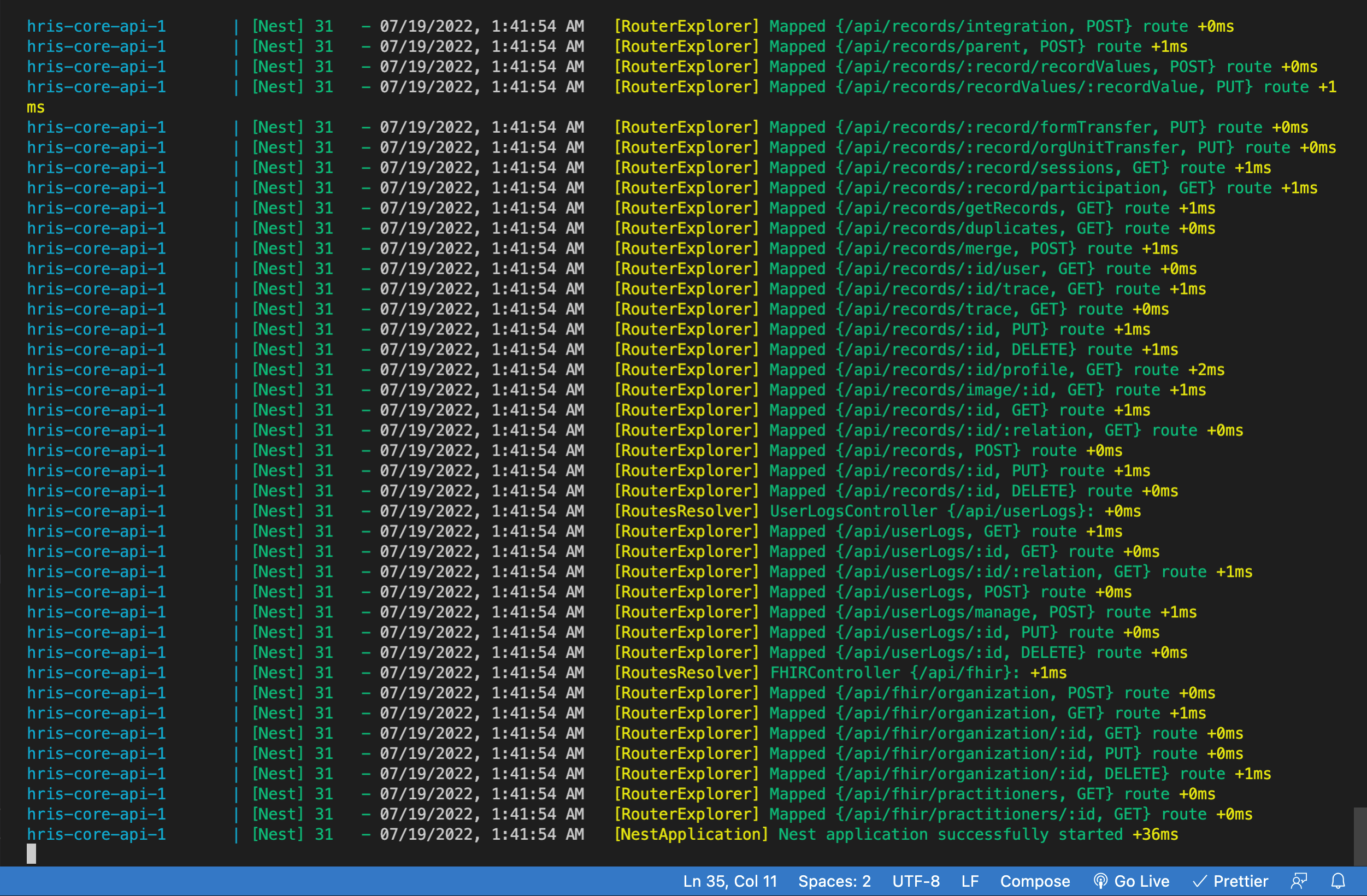
docker-compose upThe following screen should appear
Authentications#
The HRHIS4 Web API supports two protocols for authentication, Basic Authentication and OAuth 2. You can verify and get information about the currently authenticated user by making a GET request to the following URL:
Basic Authentication#
Basic authentication is a technique for clients to send login credentials over HTTP to a web server. The username is appended with a colon and respective password, Base64-encoded, prefixed Basic and supplied as the value of the Authorization HTTP header. More formally that is:
Most network-aware development environments provide support for Basic authentication, such as Apache HttpClient and Spring RestTemplate. An important note is that this authentication scheme provides no security since the username and password are sent in plain text and can be easily observed by an attacker. Using Basic is recommended only if the server is using SSL/TLS (HTTPS) to encrypt communication with clients. Consider this a hard requirement in order to provide secure interactions with the Web API.
OAuth2#
HRHIS supports the OAuth2 authentication protocol. OAuth2 is an open standard for authorization which allows third-party clients to connect on behalf of a HRHIS4 user and get a reusable bearer token for subsequent requests to the Web API. HRHIS4 does not support fine-grained OAuth2 roles but rather provides applications access based on user roles of the HRHIS4 user.
All API requests must be made over HTTPS. Calls made over plain HTTP will fail. API requests without authentication will also fail.
Errors#
HRHIS uses conventional HTTP response codes to indicate the success or failure of an API request. In general: Codes in the 2xx range indicate success. Codes in the 4xx range indicate an error that failed given the information provided (e.g.Unauthorized, Forbidden, Method Not Allowed, Request Timeout etc.). Codes in the 5xx range indicate an error with HRHIS' servers (these are rare).
Some 4xx errors that could be handled programmatically (e.g. Bad Request, Payload Too Large) include an error code that briefly explains the error reported.
Attributes#
type#
string The type of error returned. One of api_error, or invalid_request_error
code#
string For some errors that could be handled programmatically, a short string indicating the error code reported.
decline_code#
string
message#
string A human-readable message providing more details about the error. For ..., these messages can be shown to your users.
param#
string If the error is parameter-specific, the parameter related to the error. For example, you can use this to display a message near the correct form field.
Handling errors#
Our Client libraries raise exceptions for many reasons, such as invalid parameters, authentication errors, and network unavailability. We recommend writing code that gracefully handles all possible API exceptions.
Expanding Responses#
Many objects allow you to request additional information as an expanded response by using the expand request parameter. This parameter is available on all API requests, and applies to the response of that request only. Responses can be expanded in two ways.
Metadata#
Updateable HRHIS objects—including Account, Forms, Fields, Field options, Organization units have a metadata parameter. You can use this parameter to attach key-value data to these Stripe objects.
You can specify up to 50 keys, with key names up to 40 characters long and values up to 500 characters long.
Metadata is useful for storing additional, structured information on an object. As an example, you could assign fields in a form and corresponding unique identifier from your system on a Stripe Customer object. Metadata is not used by HRHIS—for example, not used to authorize or decline a charge—and won't be seen by your users unless you choose to show it to them.
Some of the objects listed above also support a description parameter. You can use the description parameter to annotate a charge—with, for example, a human-readable description like 2 shirts for test@example.com. Unlike metadata, description is a single string, and your users may see it (e.g., in email receipts Stripe sends on your behalf).
Do not store any sensitive information (bank account numbers, card details, etc.) as metadata or in the description parameter.
Pagination#
All top-level API resources have support for bulk fetches via "list" API methods. For instance, you can list records, list something , and list something. These list API methods share a common structure, taking at least these three parameters: limit, starting_after, and ending_before.
HRHIS utilizes cursor-based pagination via the starting_after and ending_before parameters. Both parameters take an existing object ID value (see below) and return objects in reverse chronological order. The ending_before parameter returns objects listed before the named object. The starting_after parameter returns objects listed after the named object. These parameters are mutually exclusive -- only one of starting_after orending_before may be used.
Parameters#
limit optional, default is 10 A limit on the number of objects to be returned, between 1 and 100.
starting_after optional A cursor for use in pagination. starting_after is an object ID that defines your place in the list. For instance, if you make a list request and receive 100 objects, ending with obj_foo, your subsequent call can include starting_after=obj_foo in order to fetch the next page of the list.
ending_before optional A cursor for use in pagination. ending_before is an object ID that defines your place in the list. For instance, if you make a list request and receive 100 objects, starting with obj_bar, your subsequent call can include ending_before=obj_bar in order to fetch the previous page of the list.
List Response Format object string, value is "list" A string describing the object type returned.
data array An array containing the actual response elements, paginated by any request parameters.
has_more boolean Whether or not there are more elements available after this set. If false, this set comprises the end of the list.
url string The URL for accessing this list.
Request IDs#
Each API request has an associated request identifier. You can find this value in the response headers, under Request-Id. You can also find request identifiers in the URLs of individual request logs in your Dashboard. If you need to contact us about a specific request, providing the request identifier will ensure the fastest possible resolution.