Employment Module
This module is used for managing all health worker data.In this module ther are three main sections as listed and explained below.
- Employed health workers
- Unemployed health wokers
- Reports
Accessing Employment Module#
To access this module follow the steps below.
- Select the Employment module from the menu.

An interface will appear as shown in the figure below.
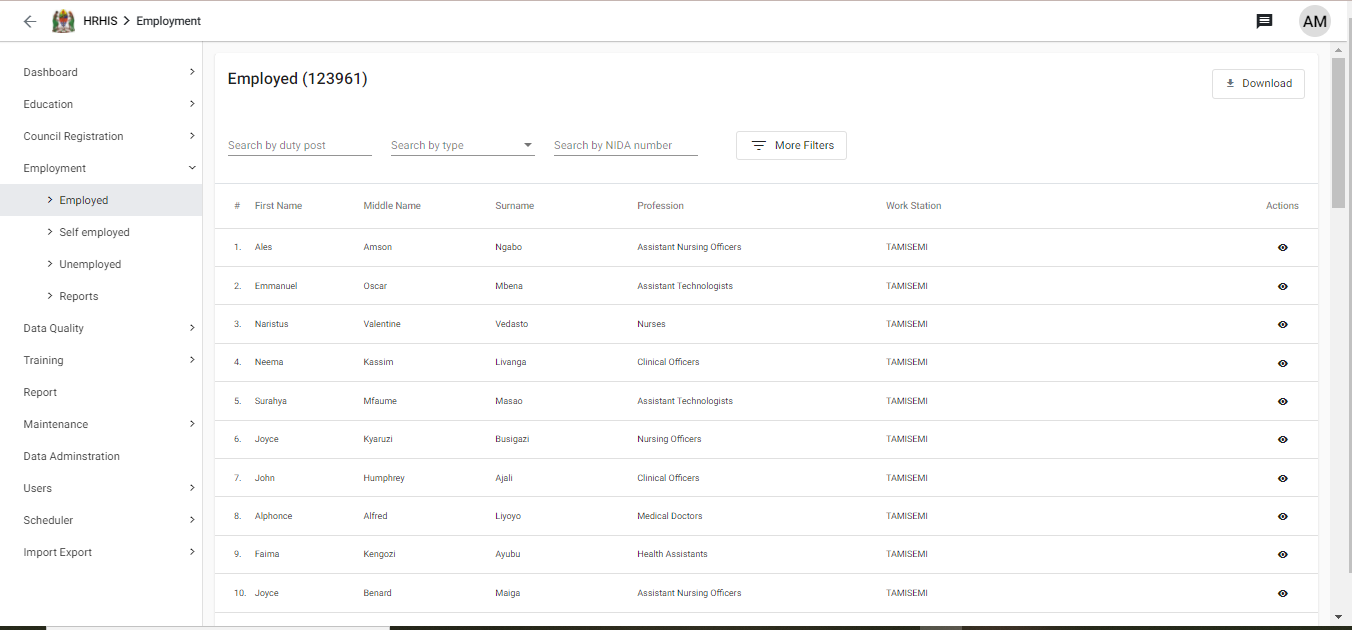
Viewing employed health workers#
To view employed health workers, select "Employed" section under employment module. This section provides list of employed health workers in public and private health facilities. The list can be customized with various filters as indicated below.
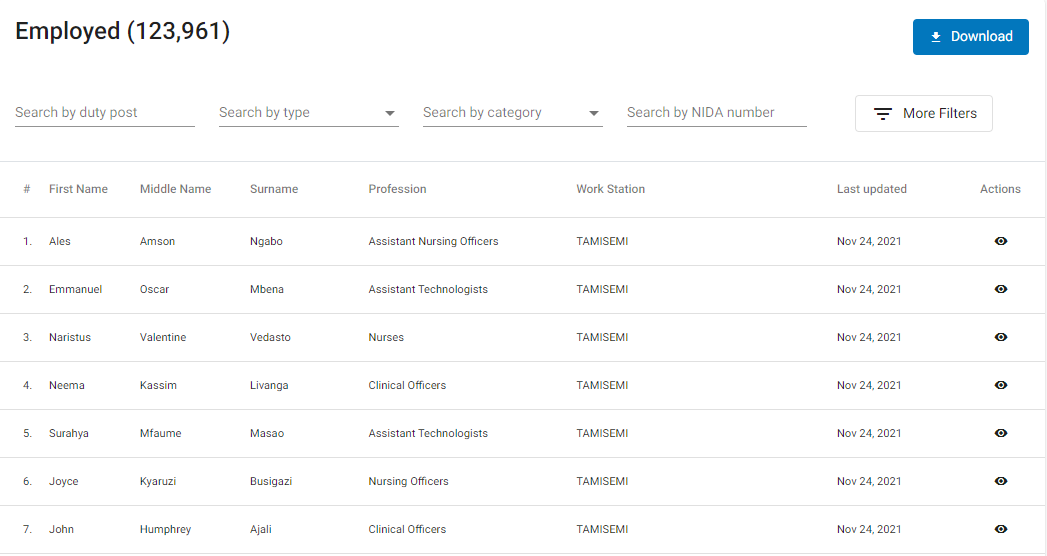
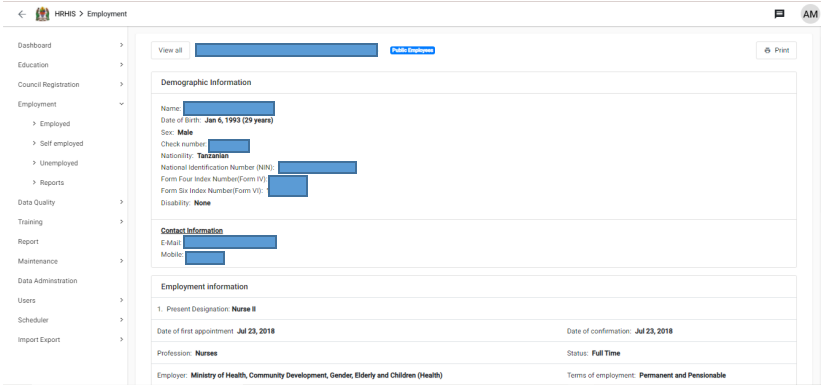
To open a health worker's profile for viewing more details, click on the respective health worker's record from the list of health workers.
The proifle will open up with more health worker details in the structure indicated below.
To open an unemployed health worker's profile for viewing more details, click on the respective health worker's record from the list of unemployed health workers.
Viewing employment reports#
This section provides aggregate reports based on health worker information as received in the system. To access and view a report, follow the following steps.
Select "Reports" section under employment module.A list of available reports will be displayed.
Click on the name of the report required.
Specify report parameters by selecting organization unit and period.
Click "Update" button to open the report.